 MusicFinder
How to find the ISRC of any song

You need the ISRC for a track and all you have is its name. Here are the ways to get it, quickest first.
1. Look it up by song name
This is the fastest route and it works for released music by any artist.
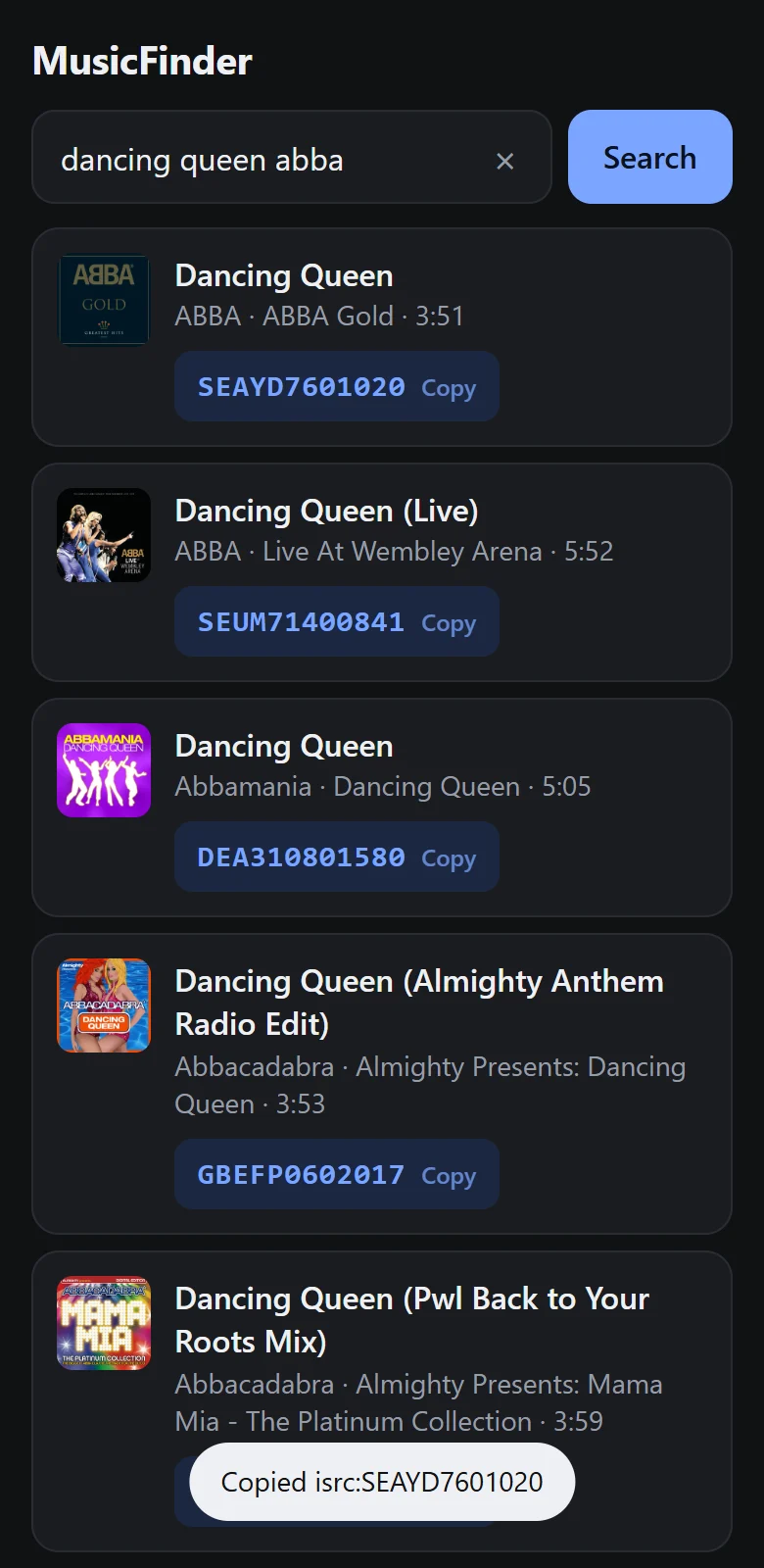
- Open MusicFinder on your Android phone, or use the search on our home page.
- Type the song name. Add the artist if the title is a common one.
- Pick the right recording from the list. Use the album and track length to tell versions apart.
- Tap the code to copy it.
It also works the other way round: paste an ISRC and MusicFinder shows which recording it belongs to. That is useful for checking a code someone sent you.
2. Check your distributor (for your own music)
If you released the track yourself, your distributor assigned the ISRC or recorded the one you supplied. It is listed on the release or track page of your distributor's dashboard. This is the authoritative source for your own catalogue, and it is the code that was delivered to the streaming services and social platforms.
3. Read the tags in the audio file
Some audio files carry the ISRC in their metadata. In an MP3 it sits in a tag called TSRC. A tag editor on your computer will show it if it is there. Many files do not include it, so an empty field means nothing more than that.
4. Ask the label or the artist
For unreleased music, or a recording that is not in the public catalogues, the label or artist is the only source. They will have it in their release paperwork.
Make sure you have the right version
The most common mistake is copying the code of a different recording of the same song. Before you use a code, check:
- Length. A radio edit is shorter than the album version and has its own ISRC.
- Artist. Covers have the same title and a different performer.
- Labels in the title. "Live", "Remix", "Remastered", "Acoustic" and "Sped up" all mean a separate recording.
If you are not sure what makes recordings different in the first place, read what an ISRC code is.
What does a valid ISRC look like?
Twelve characters: two letters, three letters or digits, then seven digits. For example USUG11904206. You will also see it printed with dashes, as US-UG1-19-04206. Both mean the same code. When pasting into a search box, leave the dashes out.
What to do with it
Creators mostly use an ISRC to pick the exact recording in a music search. See how to find the exact song on Instagram with an ISRC. Artists use it to check their releases are registered correctly, and to tell a collecting society or a playlist curator precisely which recording they mean.
Find the ISRC in seconds
MusicFinder is a free Android app: type a song name, tap the code to copy it.
Keep reading

How to find the exact song on Instagram with an ISRC code
Title search on Instagram often returns covers and look-alikes. Searching with the song's ISRC code points to one exact recording. Here is how.
3 min read
Why a song is not available on Instagram, and what you can do
The real reasons a song is missing or blocked in Instagram's music library, from country licensing to account type, and the fixes that stay within the rules.
3 min read
What is an ISRC code? A plain guide
An ISRC is the 12-character code that identifies one recording of a song. What the parts mean, who assigns it, and where to find one.
2 min read